
This time, to spread the traditional culture of Japan to the world
Official platform"JTCS App" It has been published.
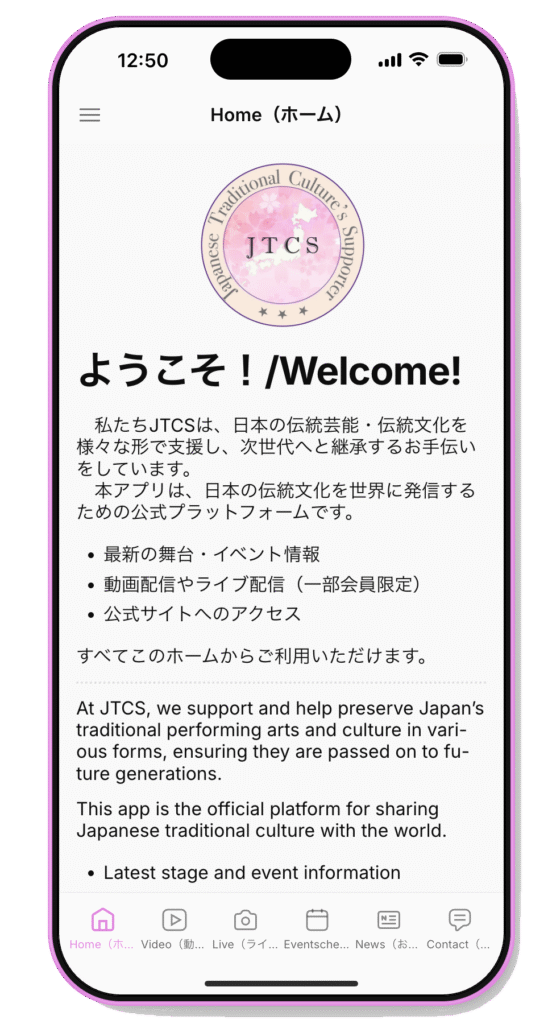
In this app,
Latest stage and event information
• Video streaming and live streaming (limited to some members)
• Access to the official website
such as from smartphones and tablets
It can be used easily.
Please download and use it.
JTCS App
https://jtcsapp2025.glide.page

How to use the JTCS app
The JTCS app is a web app, so you can use it without needing to install it on your smartphone or tablet.
By following the steps below, you can easily access it from the icon just like any other app by adding it to the home screen.
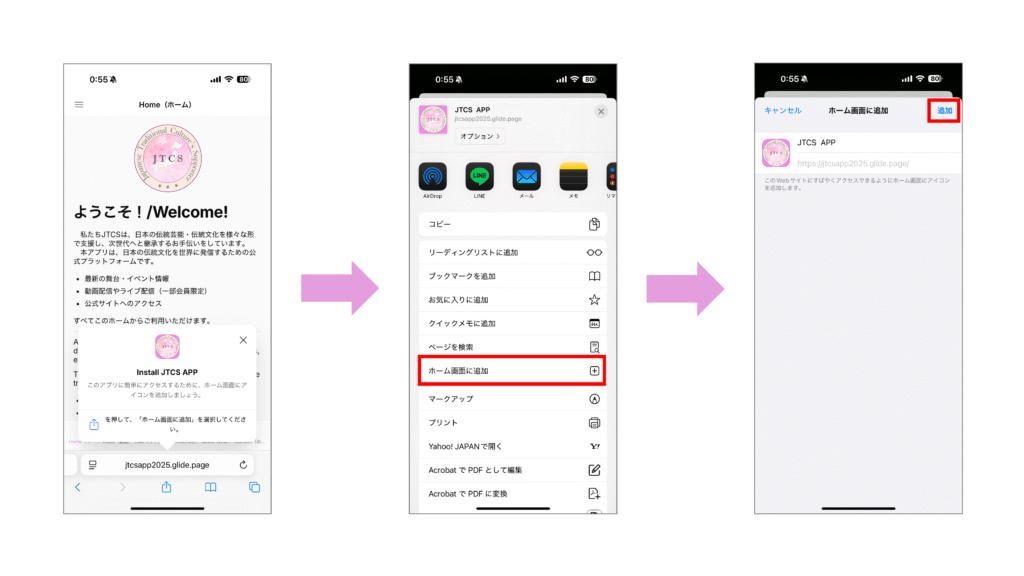
[For iPhone]
How to add it to the home screen
First, open the JTCS app page in Safari.
After that, please proceed with the following steps.
- Below the screen Share button (square and upward arrow mark) Tap on
- From the menu "Add to Home Screen" Select
- Top right "Additional" Tap on
👉 The JTCS app icon will appear on the home screen, allowing you to access it immediately.
[For Android]
How to add it to the home screen
First, open the JTCS app page in Google Chrome.
After that, please proceed with the following steps.
- At the top right of the screen ︙ (menu icon) Tap on
- From the menu "Add to Home Screen" Select
- On the confirmation screen that appears, "Additional" Tap on
👉 The JTCS app icon will appear on the home screen, allowing you to access it immediately.